

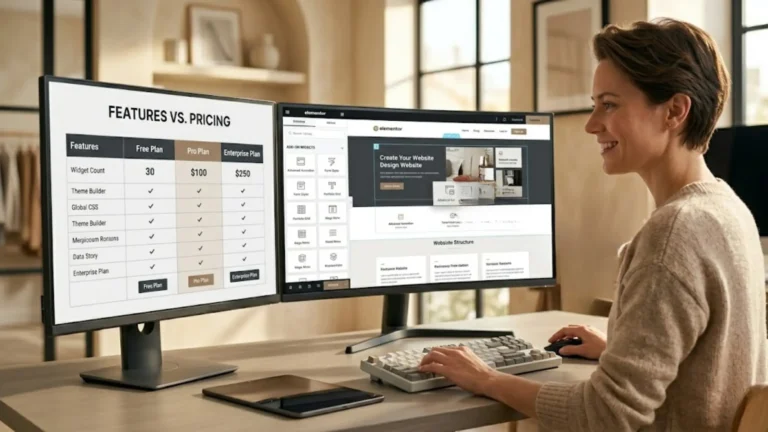
Risposta rapida — Riepilogo della recensione di Royal Elementor Addons
Vale la pena usare Royal Elementor Addons se si possiede già Elementor Pro?
Sì — Royal Elementor Addons colma le lacune lasciate da Elementor Pro. Aggiunge oltre 80 widget aggiuntivi, un costruttore di pop-up avanzato, un costruttore di intestazioni e piè di pagina, effetti di movimento e il white labeling (branding personalizzato), il tutto senza appesantire significativamente il sito. Lo installo su ogni sito WordPress che realizzo. La sola versione gratuita è più generosa di quello che la maggior parte dei plugin concorrenti offre a pagamento.
- Ideale per: Professionisti di WordPress e liberi professionisti che utilizzano già Elementor e desiderano una maggiore flessibilità di progettazione senza dover acquistare più plugin
- Versione gratuita: Sì — davvero utile, non una semplice anteprima ridotta all'osso
- Prezzo di partenza: A partire da 29,99$ all'anno o 59,99$ una tantum / a vita (per 1 sito) — è disponibile anche la versione Expert
- Vantaggio principale: Sostituisce diversi plugin separati in un unico pacchetto
- Limite principale: Utile solo se utilizzi già Elementor — non è uno strumento autonomo
- Funziona senza Elementor Pro: Sì — sia la versione Pro che quella Expert funzionano con la versione gratuita di Elementor
- Verdetto: Il componente aggiuntivo (addon) per Elementor più conveniente per i siti WordPress professionali
Quando ho iniziato a creare siti WordPress a livello professionale, mi sono scontrato rapidamente con una frustrazione ricorrente: Elementor Pro è un ottimo page builder, ma non include tutto ciò di cui un sito professionale di servizi ha bisogno fin da subito.
Mancavano determinati widget.
- Il popup builder era funzionale ma limitato.
- Il builder di header e footer funzionava, ma mancava di alcuni dei controlli di layout avanzati di cui avevo bisogno.
- Aggiungere plugin separati per ogni funzionalità mancante rendeva i miei siti più pesanti e più difficili da mantenere.
Royal Elementor Addons ha risolto questo problema. — e non solo.
È diventato il primo plugin complementario che installo su ogni sito WordPress che creo, subito dopo Elementor Pro.
Ecco la mia onesta recensione sul perché.
Che cos'è Royal Elementor Addons?
Royal Elementor Addons (chiamato anche Royal Addons) è un plugin complementario per Elementor — il che significa che funziona solo se hai già installato Elementor.
Aggiunge una vasta libreria di widget aggiuntivi, template e strumenti di design direttamente all'interno dell'editor di Elementor, ampliando ciò che puoi creare senza dover lasciare l'interfaccia familiare che già conosci.
È utilizzato su oltre 900.000 siti web in tutto il mondo e gode di un'ottima reputazione nella community di WordPress per essere davvero ben strutturato: leggero, aggiornato regolarmente e compatibile con le versioni attuali di Elementor e WordPress senza causare conflitti.
La distinzione chiave tra Royal Elementor Addons e plugin simili è la qualità della versione gratuita.
La maggior parte dei plugin di estensione per Elementor offre gratuitamente solo una manciata di widget di base come assaggio, bloccando tutto ciò che è utile dietro un paywall.
Royal Elementor Addons ti offre un toolkit gratuito davvero sostanzioso — widget avanzati, template ed estensioni di design — prima ancora che tu spenda un singolo euro.
Posso usare Royal Elementor Addons senza Elementor Pro?
Un'importante precisazione: sebbene Royal Elementor Addons funzioni al meglio insieme a Elementor Pro, le versioni a pagamento funzionano effettivamente senza Elementor Pro — il che significa che puoi abbinarlo alla versione gratuita di Elementor e avere comunque accesso a un kit di strumenti di design davvero notevole.
Detto questo, lo uso insieme a Elementor Pro perché la combinazione offre il risultato più completo: Elementor Pro gestisce il theme builder e la struttura principale della pagina, mentre Royal Elementor Addons colma le lacune con template di widget già pronti che puoi inserire e personalizzare immediatamente.
Questo è in realtà uno dei vantaggi più sottovalutati di Royal Elementor Addons rispetto al solo Elementor: con Elementor, costruisci i widget in gran parte da zero (o usi l'assistente IA con il piano One).
Con Royal Elementor Addons, ottieni invece design di widget già pronti — flip card, slider di testimonianze, timeline, gallerie — che devi semplicemente adattare ai tuoi contenuti.
È notevolmente più veloce, soprattutto per gli utenti senza conoscenze tecniche che desiderano un risultato rifinito senza dover partire da zero ogni volta.
Che cosa aggiunge concretamente Royal Elementor Addons?
Il modo più semplice per capirne il valore è guardare a ciò che aggiunge e che Elementor Pro non include di default.
Widget avanzati per siti di servizi professionali
Royal Elementor Addons include oltre 80 widget ed estensioni che ampliano la libreria integrata di Elementor.
Per i liberi professionisti e i fornitori di servizi, i più utili a livello pratico includono:
Il widget Advanced Slider (Carosello Avanzato)
Più flessibile e visivamente rifinito rispetto al carosello integrato di Elementor, con una migliore resa su dispositivi mobili e controlli per le animazioni più fluidi.
Utile per le sezioni hero della homepage e per le vetrine dei portfolio.
I widget Advanced Accordion e Advanced Tabs (Accordion Avanzato e Tab Avanzate)
Essenziali per le sezioni FAQ, il dettaglio dei servizi e qualsiasi contenuto che tragga vantaggio dall'essere organizzato in pannelli espandibili o commutabili.
Li uso su quasi tutti i siti dei clienti per la sezione FAQ o domande frequenti.
Il widget Flip Box (Scheda Rotante)
Consente di creare schede che rivelano contenuti aggiuntivi al passaggio del mouse o al tocco. Lo uso per le sezioni servizi e risorse sul mio sito srwebmarketing.com, e funziona in modo pulito senza richiedere codice personalizzato.
I widget Advanced Team e Advanced Testimonials (Team Avanzato e Testimonianze Avanzate)
Presentazione del team e delle testimonianze curata e professionale, con molteplici opzioni di layout.
Per coach, consulenti e terapeuti che desiderano mettere in mostra i feedback dei clienti, questi widget sono decisamente migliori rispetto al dover costruire la stessa cosa manualmente in Elementor.
Il widget Filterable Gallery (Galleria con Filtri)
Consente ai visitatori di filtrare un portfolio o una galleria di progetti per categoria senza ricaricare la pagina.
Molto utile per artigiani, fotografi e professionisti creativi che hanno la necessità di mostrare i propri lavori suddivisi per categoria.
Il widget Advanced Data Table (Tabella Dati Avanzata)
Costruisci tabelle di confronto o tabelle informative in modo visivo, senza scrivere HTML.
Questo è il widget che uso per le tabelle di confronto nei post come la recensione di Hostinger..
Il widget Reading Progress Bar (Barra di Progresso della Lettura)
Un tocco piccolo ma professionale: una sottile barra di avanzamento nella parte superiore della pagina che mostra a che punto dell'articolo si trova il lettore. Migliora l'esperienza di lettura percepita sui post del blog più lunghi.
I widget Back to Top e Phone Call (Torna su e Chiamata Telefonica)
Questi sono probabilmente i due che preferisco in assoluto.
Il widget "Back to Top" ti consente di posizionare un widget ad esempio in fondo al footer, in modo che gli utenti vedano un pulsante sul tuo sito web per tornare all'inizio della pagina.
Il widget Phone Call, invece, ti consente di collegare il tuo numero di telefono in modo che i visitatori del tuo sito web possano chiamarti direttamente, se preferisci questo tipo di contatto (sinceramente preferisco mantenere privato il mio numero, ma è una questione di obiettivi aziendali e preferenze personali).
Il Pro Header and Footer Builder (Costruttore di Intestazioni e Piè di Pagina Pro)
Elementor Pro include un Theme Builder (Costruttore di Temi) con la progettazione di intestazione e piè di pagina.
La versione Pro di Royal Elementor Addons estende queste funzionalità con controlli di layout aggiuntivi, opzioni di widget specifiche per i contesti di intestazione e piè di pagina (come una barra di ricerca avanzata, un menu mobile con comportamento off-canvas e un'intestazione fissa con visibilità basata sullo scorrimento) e un controllo più granulare sul comportamento responsive.
Per creare intestazioni professionali che appaiano curate su ogni dispositivo senza la necessità di CSS personalizzato, il costruttore di intestazioni e piè di pagina di Royal aggiunge funzionalità significative che vanno oltre ciò che Elementor Pro offre da solo.
Il Pro Popup Builder (Costruttore di Popup Pro)
Elementor Pro include un Popup Builder (Costruttore di Popup).
Anche Royal Elementor Addons ne ha uno e, per determinati casi d'uso, il costruttore di popup di Royal risulta più flessibile.
Gestisce le condizioni di visualizzazione, le opzioni di attivazione (profondità di scorrimento, intento di uscita, tempo sulla pagina) e il comportamento specifico per i dispositivi mobili in un modo che alcuni utenti trovano più intuitivo rispetto all'implementazione nativa di Elementor.
Li uso entrambi a seconda dei requisiti specifici di ciascun progetto.
Effetti di movimento ed estensioni visive
Royal Elementor Addons include diversi strumenti di miglioramento visivo che sono funzionalità Pro in molti plugin concorrenti:
- Effetti particellari (Particle Effects) — particelle fluttuanti animate nello sfondo di una sezione, utili per le sezioni hero in cui desideri un effetto visivo dinamico ma sottile senza un video di sfondo.
- Parallasse multi-livello (Multi-Layer Parallax) — più livelli di parallasse che si muovono a velocità diverse mentre il visitatore scorre la pagina, creando profondità senza JavaScript personalizzato.
- Sfondo dell'immagine in parallasse (Parallax Image Background) — un effetto di parallasse più semplice applicato agli sfondi delle sezioni, pulito e ampiamente utilizzato sui siti di servizi professionali.
- Sezione fissa (Sticky Section) — rende qualsiasi sezione fissa nella finestra di visualizzazione (viewport) mentre il visitatore scorre la pagina. Utile per barre di chiamata all'azione (CTA), tabelle dei prezzi o elementi di navigazione che desideri che rimangano visibili.
- CSS personalizzato per qualsiasi widget — aggiungi CSS personalizzato direttamente ai singoli widget senza toccare il foglio di stile del tuo tema. Questa è una funzionalità Pro in molti plugin ed è inclusa in Royal Elementor Addons Pro.
Royal Elementor Addons Free vs Pro: qual è la vera differenza?
Questo è il punto in cui Royal Elementor Addons si distingue davvero dalla concorrenza.
La versione gratuita include la libreria di widget di base: la maggior parte dei widget che ho elencato sopra è disponibile gratuitamente.
Anche le estensioni visive (effetti particellari, parallasse, sezione fissa) sono disponibili senza dover pagare.
Per un sito di servizi professionali realizzato con un budget limitato, la sola versione gratuita offre già un valore significativo.
La versione Pro aggiunge:
- Opzioni di configurazione avanzate dei widget (modalità di layout aggiuntive, controlli di stile esclusivi della versione Pro, opzioni per informazioni aggiuntive –tooltip– per ogni singola voce della tabella dei prezzi)
- Header e Footer Builder Pro con opzioni avanzate per menu mobile e header fisso (sticky header)
- Popup Builder Pro
- Oltre 55 modelli di widget predefiniti e oltre 20 modelli di popup predefiniti
- CSS personalizzato per qualsiasi widget
- Supporto prioritario e 1 anno di aggiornamenti (piano annuale) o aggiornamenti a vita (piano lifetime)
Il mio onesto parere: per un libero professionista che gestisce il proprio sito, la versione gratuita vale la pena di essere installata immediatamente — non c'è motivo di non farlo. Per chiunque crei siti web a livello professionale o desideri il toolkit avanzato completo, la versione Pro ha un prezzo sufficientemente equo da rendere la decisione immediata.
Prezzi — quanto paghi effettivamente
Royal Elementor Addons è disponibile in due livelli — Pro e Expert — ciascuno disponibile come abbonamento annuale o come acquisto unico a vita (lifetime).
Versione Pro — Funzionalità avanzate
- Annuale: a partire da 29,99$/anno (1 sito)
- A vita (Lifetime): a partire da 59,99$ (1 sito)
Include: versioni avanzate di tutti i widget di base (Slider, Post Grid, Image Grid, Timeline, Form Builder, Offcanvas Menu, Feed Instagram/Twitter, Data Table, Testimonial Slider, Nav Menu, Accordion, Image Accordion), supporto prioritario e tutte le funzionalità della versione gratuita.
Versione Expert — Funzionalità di massimo livello
- Annuale: a partire da 39,99$/anno (1 sito)
- A vita (Lifetime): a partire da 69,99$ (1 sito)
Include tutto ciò che è presente nella versione Pro, più: filtri avanzati, funzionalità per siti web dinamici, tag dinamici per tutti i widget, opzioni estese per i campi personalizzati (Custom Fields), generatore di Custom Post Type, generatore di tassonomie personalizzate, funzioni di Wishlist e di confronto per WooCommerce, widget Category Grid, libreria Expert Template Kit, White Label Branding (marchio white label) e — in particolare — Elementor Pro non è richiesto per la versione Expert.
Tutti i piani hanno una garanzia di rimborso di 30 giorni.
Il mio suggerimento: Io uso la versione Pro a vita — un pagamento unico che copre i widget e i modelli che utilizzo in ogni progetto, senza costi di rinnovo ricorrenti. Se hai bisogno di funzionalità per siti web dinamici, custom post type o funzioni avanzate di WooCommerce, la versione Expert vale il piccolo costo aggiuntivo. Per la maggior parte dei liberi professionisti che creano un sito di servizi standard, la versione Pro include tutto quello di cui hai bisogno.
Royal Elementor Addons rispetto ai plugin di addon Elementor della concorrenza
I concorrenti principali sono Essential Addons per Elementor, ElementsKit, e The Plus Addons per Elementor.
Tutti offrono una proposta simile — estendere la libreria di widget di Elementor con strumenti aggiuntivi.
| Royal Elementor Addons | Essential Addons | ElementsKit | |
|---|---|---|---|
| Qualità della versione gratuita | ✅ Veramente utile | ✅ Buona | ⚠️ Limitata |
| Licenza a vita (lifetime) | ✅ Sì | ✅ Sì | ✅ Sì |
| White label branding (Marchio bianco) | ✅ Expert | ✅ Pro | ✅ Pro |
| Costruttore di header/footer | ✅ Pro | ⚠️ Limitata | ✅ Pro |
| Effetti di movimento (gratuito) | ✅ Sì | ❌ Solo Pro | ❌ Solo Pro |
| Funziona senza Elementor Pro | ✅ Versioni Pro & Expert | ❌ Richiede Elementor Pro | ⚠️ Parziale |
| Impatto sulle prestazioni | ✅ Leggero | ⚠️ Moderato | ⚠️ Moderato |
| Ideale per | Professionisti che desiderano un addon leggero e completo di tutte le funzionalità | Grande varietà di widget, marchio molto noto | Agenzie che desiderano una suite completa per Elementor |
La differenza onesta in modo pratico: tutti e tre sono plugin validi e la scelta tra di essi è in parte una questione di preferenza personale. Utilizzo Royal Elementor Addons perché la versione gratuita è la più generosa tra le tre, l'impatto sulle prestazioni è più leggero rispetto a Essential Addons su progetti simili e l'opzione della licenza a vita lo rende la scelta più conveniente per un professionista che crea e gestisce più siti nel tempo.
Pro e contro dell'utilizzo di Royal Elementor Addons
✅ Cosa funziona bene
- La versione gratuita è veramente utile — non una versione di prova ridotta
- Oltre 80 widget che coprono le esigenze di un sito professionale di servizi
- Effetti di movimento (Parallasse, Effetti particellari) disponibili gratuitamente
- Leggero — impatto minimo sulle prestazioni su siti ben configurati
- L'opzione della licenza a vita evita i costi annuali ricorrenti
- White label branding (Marchio bianco) per una consegna professionale ai clienti
- Aggiornato regolarmente e compatibile con le versioni attuali di Elementor
- Garanzia di rimborso di 30 giorni su tutti i piani Pro
- Sostituisce diversi plugin separati in un'unica installazione
⚠️ A cosa prestare attenzione
- Funziona solo con Elementor — non è un page builder indipendente
- L'aggiunta di troppi plugin di addon a Elementor aumenta il carico del codice — utilizza solo ciò di cui hai bisogno
- Alcuni widget avanzati richiedono Elementor Pro (non solo la versione gratuita di Elementor)
- La documentazione è utile ma meno completa rispetto a quella ufficiale di Elementor
Royal Elementor Addons fa al caso tuo?
✅ Fa al caso tuo se sei…
- Utilizzi già Elementor (gratuito o Pro) e desideri più opzioni di widget senza dover acquistare diversi plugin
- Un fornitore di servizi professionali che desidera flip card, accordion avanzati, gallerie filtrabili o testimonianze curate senza ricorrere a uno sviluppo personalizzato
- Un web designer o consulente che crea siti per i clienti e desidera il white-label branding e l'opzione della licenza a vita
- Chiunque desideri ridurre il proprio set di plugin sostituendo diversi strumenti monouso con un unico addon ben strutturato
❌ Potrebbe non essere necessario se…
- Non utilizzi Elementor — questo plugin non ha alcun valore senza di esso
- Hai un sito molto semplice con requisiti di design minimi, dove i widget nativi di Elementor Pro coprono già tutto ciò di cui hai bisogno
- Ti preoccupa il sovraccarico di plugin — installa solo ciò che il tuo sito specifico utilizza effettivamente
Il mio verdetto su Royal Elementor Addons
Royal Elementor Addons si colloca in una nicchia specifica e di valore: è lo strumento che rende Elementor Pro completo.
Di per sé, Elementor Pro è un page builder potente e capace.
Ma ogni sito professionale che creo arriva a un punto in cui un widget specifico, una presentazione delle testimonianze più curata o una flip card più flessibile migliorerebbero il risultato — e senza Royal Elementor Addons, la risposta a queste esigenze sarebbe un plugin separato, una soluzione con codice personalizzato o un compromesso sul design.
Con Royal Elementor Addons installato, queste lacune semplicemente svaniscono.
Ho i widget di cui ho bisogno, nell'interfaccia che già conosco, senza aggiungere un peso significativo al sito.
Inizia con la versione gratuita.
Installalo, esplora la libreria dei widget e scopri quante delle tue attuali sfide di design risolve prima di spendere un solo centesimo.
Se ti ritrovi a usarlo regolarmente — come fa la maggior parte degli utenti di Elementor — la licenza Pro rappresenta uno degli investimenti più sensati e immediati per il tuo set di strumenti WordPress.
Il link sottostante è un link di affiliazione — se effettui un acquisto, riceverò una provvigione senza alcun costo aggiuntivo per te.
👉 Acquista Royal Elementor Addons Pro
Domande frequenti (FAQ)
Ho bisogno di Elementor Pro per utilizzare Royal Elementor Addons?
Hai bisogno di avere Elementor installato — o nella versione gratuita o nella versione Pro. Tuttavia, alcuni dei widget più avanzati di Royal Elementor Addons e le funzionalità del Pro Header Footer Builder funzionano al meglio con Elementor Pro anziché con la versione gratuita. Per un sito professionale di servizi, avere entrambi Elementor Pro e Royal Elementor Addons Pro ti offre il set di strumenti più completo in assoluto.
Royal Elementor Addons è gratuito?
Sì — è disponibile una versione gratuita sul directory dei plugin di WordPress che include un set di widget ed estensioni di design davvero utili. La versione Pro aggiunge opzioni di widget avanzate, il Pro Popup Builder, template predefiniti e l'assistenza prioritaria.
Royal Elementor Addons rallenterà il mio sito?
Non in modo significativo, a patto che la tua configurazione generale sia pulita. Royal Elementor Addons è progettato per essere leggero e carica solo il codice dei widget che utilizzi effettivamente su ogni pagina. Abbinato a un hosting veloce come Hostinger Business + AI e a un set di plugin ridotto all'essenziale, l'impatto sulle prestazioni è minimo.
Esiste un'opzione di licenza una tantum (lifetime)?
Sì — Royal Elementor Addons offre opzioni di licenza lifetime sia per l'uso su sito singolo che multi-sito, il che è sempre più raro nel mercato dei plugin di WordPress. Per i professionisti che utilizzano il plugin regolarmente su più progetti, l'opzione lifetime è molto più conveniente rispetto ai rinnovi annuali.
Qual è la differenza tra Royal Elementor Addons e Essential Addons for Elementor?
Entrambi estendono la libreria di widget di Elementor con strumenti aggiuntivi. Le principali differenze pratiche sono che Royal Elementor Addons ha una versione gratuita più generosa, include effetti di movimento (Parallax, Effetti Particellari) gratis anziché bloccarli dietro un piano Pro, e tende ad avere un impatto più leggero sulle prestazioni a parità di configurazione. Entrambi sono ottimi plugin — la scelta tra i due è in gran parte una questione di preferenza personale nel flusso di lavoro.
Posso utilizzare Royal Elementor Addons sui siti dei clienti?
Sì. La versione Expert include il branding white-label, che ti consente di sostituire il nome e il marchio del plugin con i tuoi nel backend di WordPress — un tocco professionale per la consegna del lavoro ai clienti. Le licenze multi-sito e le opzioni lifetime lo rendono molto conveniente per l'uso da parte di agenzie o freelance.
 | Sergio Stanga WordPress Web Designer & SEO Specialist · SR Web Marketing Aiuto liberi professionisti e PMI in tutta Italia, Spagna ed Europa a creare siti web WordPress in grado di generare lead organici a lungo termine e visibilità nelle ricerche IA — senza dipendere dai social media. |


 English
 Italiano
 Español