

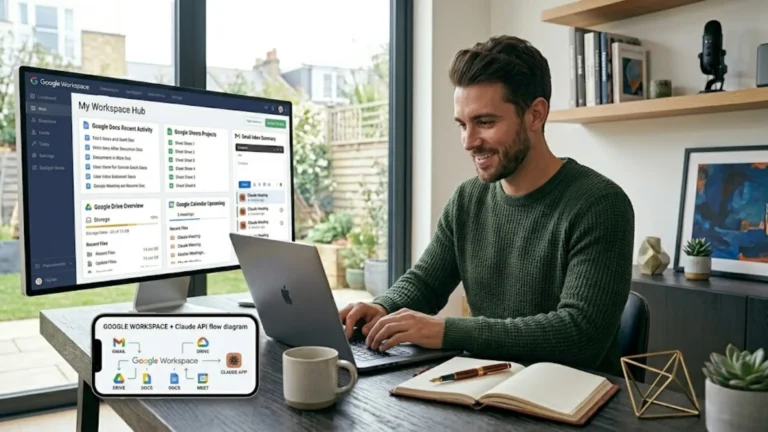
Quick Answer — Google Workspace Review Summary
Is Google Workspace worth it for independent professionals and small business owners?
Yes — and not just for the professional email address, though that alone justifies the cost. Google Workspace is the infrastructure that makes the rest of your digital business work properly: professional email on your own domain, seamless integration across Gmail, Drive, Meet, Docs, and Sheets, electronic signatures, AI-powered meeting transcription and summaries through Gemini, and — importantly for European professionals — a data privacy policy that covers paid accounts differently from free Google accounts. I use it every day for SR Web Marketing and recommend it as the essential first step before setting up any email marketing platform.
- Ideal para: Independent professionals and small business owners who need a professional email address, cloud productivity tools, and AI features in one integrated suite
- Prueba gratuita: 14 días
- Business Starter: $7/user/month (annual commitment)
- Business Standard: $14/user/month (annual commitment) — the plan I use and recommend for solo professionals
- Beneficio principal: Professional email on your own domain + AI features including Gemini meeting transcription — all in one integrated suite
- Limitación principal: Gemini conversation history cannot be deleted on paid plans — worth knowing before you start
- Veredicto: The most complete and practical productivity and professional email suite for independent professionals
The first thing I tell any independent professional who asks me about setting up their digital business infrastructure is this: before you think about funnels, email marketing, or any other tool — get a website (with a professional hosting), and a professional email address on your own domain.
- Not tunombre@gmail.com
- Not tunombre@hotmail.com
- La tunombre@tudominio.com email address that tells potential clients that they are dealing with a professional
Google Workspace is how I set that up — and it has turned out to be one of the most useful tools in my entire business stack.
I use it every day for SR Web Marketing: client emails, meeting automatic summaries, electronic signatures, AI-assisted tasks through Gemini, and as the foundation that makes other tools like Kit work correctly.
Esta es my honest review of what Google Workspace actually delivers, the plan I chose and why, and the things I wish I had known before signing up.
What is Google Workspace?
Google Workspace is Google’s paid productivity suite for businesses — the professional, data-protected, ad-free version of the free Google tools you likely already use.
It includes Gmail (on your own domain), Google Drive, Docs, Sheets, Slides, Google Meet, Google Calendar, Google Chat, and Gemini AI, all integrated under one account and one monthly or annual cost.
The most important distinction from free Google accounts is not the features — it is the infrastructure and the data policy.
With a paid Google Workspace account:
- You have a custom business email address on your own domain
- Your account and data are covered by Google’s business data processing agreements, not the consumer terms of service
- Gemini AI is included without additional charge and operates under the business data policy
- Your business data is not used to train Google’s AI models
That last point is significant for European professionals dealing with GDPR and client data.
When you use AI tools through a paid Workspace account, Google commits that your data is not being used to improve their models.
I would still exercise judgment about what sensitive information you discuss with any AI tool, but the contractual baseline is meaningfully stronger than a free account.
Why a professional email address is non-negotiable
I want to be direct about this because I see it regularly: independent professionals who are otherwise serious about their business presentation send client emails from a Gmail address.
From a client’s perspective, a free email address is a credibility gap.
It signals that the person is not fully committed to their business or has not invested in the basic infrastructure that any legitimate professional operates with.
Before they read a single word of your email, a tunombre@tudominio.com email address tells a client that they are dealing with someone who has a proper business.
It is a small signal that carries disproportionate weight in trust-sensitive service relationships.
Beyond credibility, a business email domain is also a functional prerequisite for several other tools I recommend.
Kit requires a professional email domain to send marketing campaigns — you cannot use Kit to send newsletters from a free Gmail address.
The same applies to most professional email marketing platforms.
Getting your business email domain right is the foundational step that enables everything else.
What Google Workspace actually does — beyond email
Gmail on your own domain
The email experience in Google Workspace is identical to Gmail — the interface you probably already know — but your address is tunombre@tudominio.com.
Email deliverability, spam filtering, and security are backed by Google’s enterprise infrastructure.
For a solo professional, this means you are benefiting from the same email reliability that large organisations pay significant premiums for, at a per-user cost that is lower than most dedicated business email services.
Google Drive and storage
The Business Standard plan (which I use) includes 2 TB of pooled cloud storage per user.
For a solo professional, this is effectively unlimited for practical purposes.
All your client files, project documents, site assets, and business records live in Drive — accessible from any device, automatically backed up, and shareable with clients without size limits.
This is also my preferred solution for digital product delivery when using ThriveCart — I host downloadable files in a restricted Google Drive folder and use the shareable link as the delivery URL.
Es simple, reliable, and costs nothing extra on the Workspace subscription.
Google Meet with AI transcription and summaries
This is the feature that surprised me most when I upgraded to Business Standard.
On every Google Meet call, if you set it on your Workspace Admin panel, Gemini automatically transcribes the conversation and generates a structured summary — key points discussed, action items identified, decisions made.
For client discovery calls, strategy sessions, and project briefings, having an automatic written record of what was discussed is genuinely transformative.
No more trying to reconstruct from memory what was agreed, no more relying on the client’s recollection.
The transcript and summary arrive in your Google Drive immediately after the call ends.
If you regularly run client meetings and currently have no note-taking process, this feature alone more than justifies the Business Standard upgrade over the cheaper Starter plan.
Electronic signatures on documents
One of the features that made me decide on the Business Standard plan instead of the Starter plan was the electronic signatures management tool.
If you are a business owner using DocuSign or other similar alternatives to request digital signatures from your stakeholders, this is the perfect alternative and, again, it doesn’t cost anything extra.
You can easily request electronic signatures and easily manage vendor agreements, customer contracts, stakeholder sign-offs, and more – all without leaving your Google Workspace environment.
Simply create your document with Google Docs, get help from Gemini within the same document (see below), and then apply signature requests that will make the document legally binding for all parties within the US and the EU.
How do I initiate eSignature requests in Google Drive or Google Docs?
If you get a Business Standard license or higher, you can follow these steps to start your eSignature request:
- From Google Docs: Go to Tools > eSignature.
- From Google Drive: Open your PDF contract in Drive > top-right menu (three vertical dots) > eSignature.
For detailed instructions, check out this
As I said before, this is one of the main reasons that made me decide on paying for the Standard license en vez de the Starter plan.
Gemini AI across the full suite
Since early 2025, Gemini AI has been included in all Google Workspace paid plans.
In practical terms, this means:
- Gmail: Gemini can draft replies, summarise long email threads, and help you compose professional correspondence faster.
- Docs: Gemini helps write, edit, and expand written content — useful for drafting blog posts, client proposals, or service descriptions.
- Sheets: Gemini can analyse data, build formulas, and explain what your spreadsheets are doing in plain language.
- Google Meet: Gemini handles the transcription and summaries described above.
- Gemini directly (via gemini.google.com with your Workspace account): you get access to Gemini’s advanced models with the business data policy in place — image generation, extended context windows, and AI tasks that would otherwise require a separate subscription.
The Gemini conversation deletion limitation — an honest caveat
On free Google accounts, you can delete your Gemini conversation history to keep a lean chat log.
On paid Workspace plans, all Gemini conversations are saved and cannot be deleted.
This bothers me slightly from a hygiene perspective — I prefer clean working environments and find accumulated conversation history distracting.
If you are particular about managing your AI tool history, this is worth knowing before you sign up.
Practically, it is a minor inconvenience rather than a fundamental problem, and the data privacy advantages of the paid plan more than offset it for business use.
Pero I prefer to flag it honestly rather than pretend it does not exist.
Google Workspace Studio and automations
Business Standard includes access to Google Workspace Studio (formerly AppSheet), which allows you to build no-code automations and applications within the Google ecosystem.
For more advanced users, this enables connecting Sheets, Forms, Gmail, and Drive in automated workflows — for example, automatically organising incoming client enquiries from a Google Form into a structured Drive folder.
For a solo professional just getting started, this is not the primary reason to choose Workspace.
But as your business systems develop, it is a genuinely powerful capability that is already included in the price.
NotebookLM
Google’s NotebookLM is available with free accounts too, but with the paid Workspace accounts, you considerably increase its usage, and it is one of the more useful AI research tools I have found.
You upload documents — PDFs, Google Docs, YouTube links, notes — and NotebookLM creates an AI that can answer questions about them accurately, generate summaries, and create audio overviews, presentations, videos, infographics, and more.
For researching client industries, preparing for client calls, or building knowledge bases from your own materials, it is worth exploring once you have Workspace set up.
Google Workspace Pricing: Which plan do you need?
Google Workspace offers four business tiers.
For independent professionals and solo business owners, the relevant comparison is between Starter y Standard.
Starter — $7/user/month (annual commitment)
- Custom business email
- 30 GB pooled storage per user
- Google Meet up to 100 participants
- Basic Gemini in Gmail and Meet
- Standard security controls
- Good for: solo professionals who primarily need a business email address and basic collaboration tools
Standard — $14/user/month (annual commitment) — this is the plan I use and recommend
- Everything in Starter, plus:
- 2 TB pooled storage per user
- Google Meet up to 150 participants with recording
- Gemini AI in all apps — the full AI suite, including meeting transcription and summaries
- Shared drives for teams
- Upgraded support
- Good for: solo professionals who want the full AI feature set, meeting recordings and summaries, and meaningful storage
Plus — $22/user/month (annual commitment)
- Todo lo incluido en Standard, más:
- 5 TB pooled storage per user
- Meet up to 500 participants with attendance tracking
- Google Vault (eDiscovery and data retention)
- Enhanced security controls
- Good for: professionals in regulated industries or with compliance requirements
Mi sugerencia: Business Standard at $14/month for most independent professionals. The meeting transcription and full Gemini AI suite are genuinely valuable in daily use, and the storage is effectively unlimited for solo use. The jump from Starter ($7) to Standard ($14) doubles the monthly cost but adds disproportionate value through the AI features.
New customers receive a 50% discount on their first 3 months with an annual commitment — a meaningful saving on the initial setup cost.
The annual billing workaround — what I had to do
Esta es a practical detail that is not clearly communicated on Google’s pricing page and that I discovered by going through the process myself.
When you sign up for Google Workspace with an annual commitment, the default billing is annual commitment, but monthly payments — meaning you are committed to a year but charged monthly.
This is not the same as paying annually in a single payment.
If you want to pay annually in a single upfront payment (which some business owners prefer for accounting or cash flow reasons), the process is:
- Sign up for the annual plan with monthly payments
- Contact Google’s support at smb-workspace-renewals@google.com
- Request that your plan be converted to annual billing with a single annual payment
It is a simple request, and Google handles it promptly, but you need to know how to ask for it.
The option is not self-service in the standard signup flow.
Google Workspace vs alternatives
For independent professionals, the most common alternatives are Microsoft 365, Zoho Mail, and simply hosting email with your web hosting provider (as Hostinger includes with business hosting plans).
| Google Workspace (Standard) | Microsoft 365 Business Basic | Zoho Mail | Hostinger email (included) | |
|---|---|---|---|---|
| Professional email domain | ✅ Sí | ✅ Sí | ✅ Sí | ✅ Yes (with hosting) |
| AI meeting transcription | ✅ Gemini (Standard+) | ✅ Copilot (add-on cost) | ❌ No | ❌ No |
| AI across productivity suite | ✅ Gemini included | ⚠️ Copilot is a paid add-on | ⚠️ Limitada | ❌ No |
| Cloud storage | 2 TB per user | 1 TB per user | 5 GB (free) / more paid | Limited to the hosting plan |
| Works with Kit email marketing | ✅ Sí | ✅ Sí | ✅ Sí | ✅ Sí |
| Price per user/month (annual) | $14 | $6 | Free / from ~$1/month | Included with hosting |
| Ideal para | Gmail-native professionals wanting a full AI suite included | Microsoft-native professionals or Office-heavy workflows | Budget-conscious professionals who need email only | Professionals already on Hostinger who want a simple starting point |
On Hostinger email specifically: Hostinger business hosting plans include professional email hosting as part of the package, which is a perfectly valid starting point if you are already hosting your site with Hostinger and primarily need an email address. The practical difference is the AI and collaboration layer: Hostinger email does not include meeting transcription, Gemini AI across documents, NotebookLM, or the integrated productivity suite. For a solo professional whose primary need is a business email address and basic cloud storage, Hostinger’s included email is sufficient. For a professional who wants the full AI-enhanced productivity infrastructure, Google Workspace Standard is the stronger choice.
Pros and cons of using Google Workspace
✅ Qué funciona bien
- Professional email on your own domain — the essential credibility signal
- Automatic meeting transcription and summaries via Gemini — transformative for client calls
- Gemini AI across Gmail, Docs, Sheets, and Meet — included, no add-on cost
- 2 TB cloud storage on Standard — effectively unlimited for solo professionals
- Business data policy on paid plans — your data does not train Google’s AI models
- NotebookLM access — a powerful AI research tool included
- 50% discount on the first 3 months for new customers
- Infrastructure that makes email marketing platforms like Kit work correctly
- Tools you already know — Gmail, Drive, Docs — just on your own domain
⚠️ Aspectos a tener en cuenta
- Gemini conversation history cannot be deleted on paid plans — all conversations are saved
- Annual billing as a single payment requires a manual request to Google support — it is not the default option
- Microsoft 365 Basic is cheaper if you only need email, but Google Workspace’s premium is justified by the AI features
- AI meeting transcription is only available on Business Standard and above — not on Starter
- Pricing is per user per month — scales if you add team members
Is Google Workspace right for you?
✅ Es una buena opción si eres…
- Any independent professional who needs a business email address on their own domain — this is table stakes for credibility
- Planning to set up email marketing with Kit or another platform that requires a professional email domain
- Running regular client video meetings and wanting automatic transcription and summaries
- A European professional who wants a clear data privacy commitment on paid AI features
- Someone already using Google’s free tools who wants the professional, data-protected, AI-enhanced version
❌ Puede que no sea necesario si...
- Already have Hostinger hosting and only need a basic professional email address — Hostinger’s included email covers that use case at no extra cost
- Are deeply embedded in the Microsoft ecosystem — Microsoft 365 with Outlook and Teams is a more natural fit if Office is your primary workflow
- Only need email and do not want the full productivity suite — Zoho Mail covers basic professional email at near-zero cost
My verdict on Google Workspace
I signed up for Google Workspace primarily for the professional email address.
I stayed for everything else.
The meeting transcription alone has changed how I manage client relationships — I no longer take notes during calls, because Gemini handles it automatically and delivers a structured summary within minutes.
The Gemini AI integration across Gmail and Docs removes friction from routine writing tasks.
The 2 TB Drive storage gives me a reliable, accessible home for every business file I produce.
At $14/month for Business Standard, Google Workspace is one of the lowest-cost, highest-impact investments in a solo business.
It is the infrastructure everything else sits on, and it is the first thing I recommend setting up before any other business tool.
One thing I will reiterate: if you plan to use Kit for email marketing, you need a professional email domain before you start.
Google Workspace is the most complete way to get that domain email, and considerably more besides.
No affiliate link — I recommend this tool from genuine daily use. Visit the official pricing page below.
👉 See Google Workspace pricing
For annual billing as a single payment, contact Google support at smb-workspace-renewals@google.com after signing up.
Preguntas frecuentes
What is Google Workspace?
Google Workspace is Google’s paid productivity suite for businesses. It includes Gmail on a custom domain, Google Drive, Docs, Sheets, Slides, Google Meet, Google Calendar, and Gemini AI — all integrated under one account. Unlike free Google accounts, paid Workspace accounts operate under a business data policy, include professional email on your own domain, and provide Gemini AI across all apps without additional cost.
Do I need Google Workspace or can I use a free Gmail account for business?
For basic personal use, free Gmail is fine. For a professional business context — especially if you run client meetings, send marketing emails, or manage client data — a professional email address on your own domain is essential for credibility, and the business data policy on paid Workspace accounts provides meaningfully stronger privacy protections than free Gmail. Most professional email marketing platforms, including Kit, also require a business domain email to send campaigns.
What is the difference between Business Starter and Business Standard?
The key practical differences are storage (30 GB on Starter vs 2 TB on Standard), meeting recording capability (Standard only), and Gemini AI across the full suite, including automatic meeting transcription and summaries (Standard only). For a solo professional who runs client calls and wants the full AI feature set, Business Standard at $14/month is the right choice. Starter at $7/month covers professional email and basic tools without the AI enhancement layer.
Is Gemini AI included in Google Workspace?
Yes — Gemini AI has been included in all paid Google Workspace plans since early 2025 at no extra charge. The level of Gemini access scales with your plan tier. Business Standard includes the full Gemini suite across Gmail, Docs, Sheets, and Meet, including automatic meeting transcription and summaries.
Does Google use my business data to train AI models?
Under Google Workspace paid plans, Google’s business data processing agreement commits that your data is not used to train its AI models. This is a stronger commitment than free Google accounts, where data may contribute to model improvement. That said, I would still exercise judgment about discussing genuinely sensitive client data in any AI tool — the contractual commitment is a meaningful baseline, not an unconditional guarantee.
Why can’t I delete my Gemini conversation history on Google Workspace?
On paid Workspace plans, all Gemini AI conversations are retained and cannot be individually deleted — a deliberate policy difference from free Gemini accounts, where conversation deletion is available. This is worth knowing before you start using Gemini extensively. Practically, it means your Gemini history accumulates over time. It is a minor inconvenience rather than a fundamental issue, but worth being aware of.
How do I pay for Google Workspace annually rather than monthly?
When you sign up for Google Workspace with an annual commitment, the default is an annual commitment with monthly payments — not a single annual charge. To switch to a single annual payment, contact Google support at smb-workspace-renewals@google.com after signing up and request the conversion. Google handles this promptly. The 50% discount for new customers applies to either billing arrangement.
 | Sergio Stanga Diseñador Web WordPress y Especialista en SEO · SR Web Marketing Ayudo a autónomos y pymes en toda Italia, España y Europa a crear páginas web en WordPress que generen leads orgánicos a largo plazo y visibilidad en búsquedas de IA — sin depender de las redes sociales. |


 English
 Italiano
 Español