

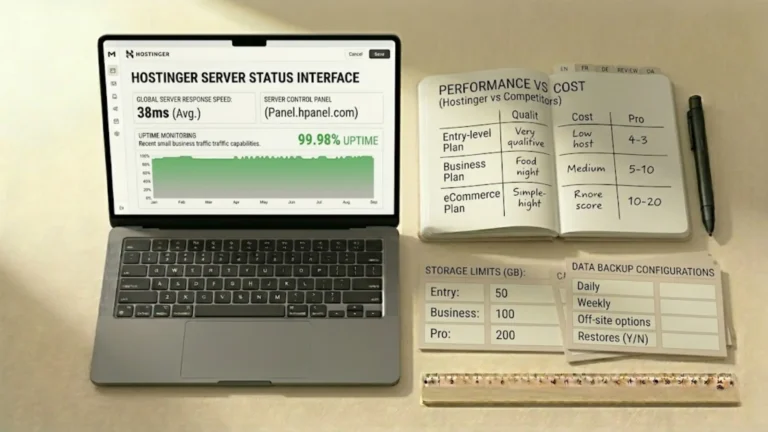
Respuesta rápida — Resumen de la reseña de Hostinger
¿Hostinger es un buen hosting WordPress para autónomos y pymes?
Sí. Hostinger es el hosting WordPress que utilizo en mi propia web y en cada proyecto que desarrollo para mis clientes. Ofrece tiempos de carga rápidos, un panel limpio y fácil de usar, instalación de WordPress en un clic, SSL gratuito, copias de seguridad automáticas y seguridad integrada, todo a un precio que tiene sentido para autónomos y pymes. Lo principal que debes saber de antemano: los precios de renovación son significativamente más altos que las tarifas de lanzamiento, así que planifica tu presupuesto a largo plazo desde el primer día.
- Ideal para: Autónomos, coach, consultores, terapeutas y pymes de servicios que lanzan o hacen crecer una web en WordPress
- Precio inicial: Desde ~2,99 €/mes (precio de lanzamiento, contrato de 48 meses) — renovaciones más altas
- Beneficio principal: Velocidad y seguridad de nivel profesional sin necesidad de conocimientos técnicos
- Limitación principal: El aumento de precio en la renovación es significativo — planifícalo desde el primer día
- Veredicto: El hosting WordPress gestionado con la mejor relación calidad-precio para webs de pymes a este nivel de precio
Si diriges una pyme, una consultoría, un negocio de coaching o cualquier tipo de servicio profesional, tu página web es tu activo de marketing más importante.
Y la base que la mantiene rápida, segura y siempre online es tu hosting.
La mayoría de los autónomos apenas prestan atención al hosting.
Eligen la opción más barata que encuentran, o dejan que quienquiera que haya diseñado su web decida por ellos.
Luego se preguntan por qué su web tarda en cargar, se cae en los momentos menos oportunos o es hackeada.
Este artículo sirve precisamente para hacer las cosas de otra manera.
Utilizo Hostinger para mi propia web y para cada página web que desarrollo para mis clientes.
Te voy a contar exactamente por qué — y dónde se queda corto — para que puedas tomar una decisión informada para tu negocio.
¿Qué es el hosting web y por qué es fundamental para tu negocio?
Antes de entrar en detalle sobre Hostinger específicamente, una rápida explicación para quienes están empezando.
Cuando creas una página web, todos los archivos, imágenes y contenidos que la componen tienen que estar alojados en alguna parte: un ordenador que esté siempre encendido y siempre conectado a internet para que los visitantes puedan acceder a tu web a cualquier hora del día.
Ese ordenador es un servidor, y pagar por alojar tu web en uno de ellos es lo que significa el hosting web.
El hosting que elijas afecta a tres aspectos que influyen directamente en tu negocio.
Estas no son cuestiones técnicas. Son cuestiones de negocio. El hosting que elijas es una decisión empresarial.
Velocidad
Una página web lenta hace perder visitantes antes incluso de que hayan leído una sola palabra.
Las investigaciones demuestran sistemáticamente que la mayoría de los visitantes abandonan una página que tarda más de tres segundos en cargar.
Un hosting más rápido significa webs más rápidas, lo que se traduce en que más personas se quedarán el tiempo suficiente para conocer tus servicios y contactar contigo.
Seguridad
Tu página web puede ser hackeada, infectada con malware o tumbada da un ciberdelincuente — y si eso ocurre, dañará tu reputación profesional y puede exponer los datos de tus clientes.
Un buen hosting incluye capas de protección que previenen que la mayoría de estos ataques lleguen siquiera a tu web.
Fiabilidad
Si tu página web se cae mientras un cliente potencial está intentando encontrar tus datos de contacto, ese cliente se irá a la competencia.
Un hosting profesional significa un tiempo de actividad cercano al 100 % — tu web será accesible cada vez que alguien la necesite.
Por qué elegí Hostinger
Cuando creé SR Web Marketing y cuando empecé a crear páginas web en WordPress para clientes, probé varios proveedores de hosting antes de decidirme por Hostinger.
Mis requisitos eran prácticos:
- Tiempos de carga rápidos sin necesidad de tener una carrera técnica para configurarlo
- Un panel de control lo suficientemente limpio como per cedérselo a clientes sin conocimientos técnicos
- Un tiempo de actividad sólido — sin caídas inexplicables
- SSL gratuito de serie (esencial para la seguridad y el posicionamiento en Google)
- Precios que tengan sentido para el presupuesto de una pequeña empresa
Hostinger cumplió con todos esos requisitos.
Y lo que es más importante, siguió cumpliéndolos después del período de luna de miel inicial, que es donde muchos hostings económicos empiezan a decepcionar.
También lo uso para las webs de mis clientes.
Cuando eres responsable de la presencia online de otra persona, necesitas un hosting en el que confíes plenamente.
Hostinger no me ha dado ningún motivo para dudar de esa confianza.
Planes de Hostinger — lo que obtienes realmente
Hostinger ofrece varios tipos de alojamiento.
Para páginas web WordPress — que es lo que recomiendo para cualquier web de servicios profesionales — la opción relevante es hosting administrado para WordPress.
Esto es lo que incluyen los tres niveles, con el precio promocional actual para un periodo de 48 meses:
Premium — desde ~2,99€/mes (se renueva a ~11,99 €/mes)
- Hasta 3 páginas web
- 20 GB de almacenamiento SSD
- Certificado SSL gratuito
- Dominio gratis para el primer año
- Email profesional gratuito (2 cuentas por web, primer año)
- Copias de seguridad automáticas semanales
- Escáner de vulnerabilidades de WordPress
- Migración gratuita de tu web
- 5 créditos de vibe coding
Business + AI — desde ~3,99€/mes (se renueva a ~18,99€/mes)
- Hasta 50 páginas web
- 50 GB de almacenamiento NVMe (más rápido que un SSD)
- Todo lo incluido en el plan Premium, más:
- Copias de seguridad automáticas diarias (frente a las semanales)
- CDN gratuita para tiempos de carga globales más rápidos
- Entorno de prueba para WordPress
- Herramientas de IA: creador de páginas web para Elementor y Gutenberg, asistente de WordPress con IA, corrección de errores con IA
- 5 aplicaciones Node.js administradas (novedad)
Cloud Startup + AI — desde ~7,99 €/mes (se renueva a ~25,99 €/mes)
- Hasta 100 páginas web
- 100 GB de almacenamiento NVMe
- Todo lo incluido en el plan Business + IA, más:
- Recursos de servidor dedicados (no compartidos con otros usuarios)
- 10 aplicaciones Node.js administradas (novedad)
- Soporte prioritario con un equipo humano (24/7)
- Dirección IP dedicada
Mi recomendación para la mayoría de autónomos y pymes: Business + IA
El paso de Premium a Business + IA cuesta aproximadamente 1€ más al mes con las tarifas de lanzamiento.
Lo que obtienes a cambio (copias de seguridad diarias en lugar de semanales, un entorno de staging y una CDN) vale muchísimo más que ese euro.
Para un sitio web profesional activo, las copias de seguridad semanales no ofrecen suficiente protección.
Una mala actualización de un plugin y podrías perder una semana de trabajo.
Las copias de seguridad diarias eliminan ese riesgo.
El plan Agency: para quienes gestionan múltiples webs de clientes
Personalmente utilizo el plan Agency Startup de Hostinger, una oferta independiente diseñada para profesionales del diseño web que gestionan múltiples páginas web de clientes.
Le da a cada sitio su propio entorno de servidor aislado, lo que significa que si una web tiene un problema, no afecta a las demás.
También proporciona un panel de gestión centralizado, facturación independiente por cliente y la posibilidad de traspasar el acceso al sitio de forma limpia.
Si eres diseñador web, consultor o una agencia que gestiona páginas web para terceros, este plan te ofrece un nivel de control y seguridad que el hosting compartido no puede igualar.
La web de cada cliente está aislada, protegida y se gestiona de forma independiente, que es justo lo que requiere el trabajo profesional con clientes.
Qué se siente realmente al usar Hostinger
Esto importa más que cualquier lista de características, especialmente si no eres una persona técnica.
El panel de control (hPanel) es realmente fácil de usar
La mayoría de los proveedores de hosting utilizan cPanel: una interfaz funcional pero saturada, diseñada en una era diferente de la web.
El hPanel de Hostinger es moderno, limpio y está organizado de manera lógica.
He entregado acceso a hPanel a clientes que nunca antes habían iniciado sesión en un panel de control de hosting, y han sido capaces de encontrar lo que necesitaban sin tener que llamarme.
Instalar WordPress lleva unos tres minutos
Haz clic en "Instalar WordPress", elige tu dominio, establece tu contraseña y estás dentro.
Sin FTP, sin cargas manuales de archivos, sin archivos de configuración que editar.
Para un profesional sin conocimientos técnicos que solo quiere una web que funcione, esto elimina una barrera significativa.
Las herramientas de IA realmente ayudan a los principiantes
Los planes Business y Cloud Startup incluyen un creador de sitios web con IA para Elementor y Gutenberg, un asistente de IA que puede ayudarte a configurar los ajustes de WordPress y corrección de errores asistida por IA.
Para alguien que está configurando su primera página web en WordPress, estas herramientas reducen considerablemente la curva de aprendizaje.
El soporte al cliente comienza con Kodee, el agente de soporte con IA de Hostinger
Kodee maneja la mayoría de las preguntas comunes — cómo instalar WordPress, cómo configurar el correo electrónico, cómo restaurar una copia de seguridad — y resuelve la mayor parte de los problemas sin necesidad de involucrar a un humano.
Si Kodee no puede ayudarte, puedes pedir hablar con un agente de soporte humano en cualquier momento.
El soporte prioritario con respuesta rápida humana garantizada está incluido en el plan Cloud Startup; en los planes Premium y Business, el soporte humano está disponible pero sin prioridad en cola.
Qué puedes crear en Hostinger
Una de las cosas que aprecio de Hostinger es que crece junto con tus ambiciones.
La misma plataforma que aloja una página de destino simple de una sola página para un consultor también impulsa tiendas WooCommerce completas con catálogos de productos y procesamiento de pagos.
Para los profesionales con los que trabajo, los casos de uso más comunes son:
- Una página web única de servicios profesionales — una página de destino que incluye tus servicios, acerca de mí/nosotros y contacto en una sola página. El plan Premium cubre esto cómodamente para hasta 3 webs.
- Una web multipágina de servicios con un blog — la estructura que diseño para la mayoría de los clientes, con entre 4 y 6 páginas que incluyen servicios, acerca de mí/nosotros, contacto y un blog, utilizando páginas individuales y específicas para cada sección. Carga rápida, optimización SEO y una estrategia de contenidos que genera resultados crecientes con el tiempo. El plan Business + AI es el plan adecuado en este caso.
- Una web pequeña de comercio electrónico — para vender productos, paquetes o reservar servicios en línea. Business + AI o Cloud Startup, dependiendo de los niveles de tráfico.
- Múltiples webs de clientes — si eres un profesional que gestiona su propia web además de los proyectos de tus clientes, los planes Business + AI y Cloud Startup + AI, o los planes Agency manejan esto a la perfección.
El punto es que no tendrás que dejar atrás a Hostinger ni migrar a algo más caro a medida que tu negocio crezca.
La plataforma crece contigo.
Seguridad: lo que significa para tu reputación profesional
Para un psicólogo, abogado, coach o consultor, tu sitio web conlleva una promesa implícita: que la información de tus clientes se maneja con el mayor cuidado.
Un sitio hackeado o comprometido rompe esa promesa de forma pública e inmediata.
Las funciones de seguridad integradas de Hostinger abordan esto a nivel de hosting, incluso antes de que intervenga cualquier plugin de seguridad:
- SSL gratuito en cada plan significa que tu web funciona con HTTPS, encriptando los datos entre tus visitantes y tu servidor. Google requiere HTTPS para posicionarse bien. Los clientes lo esperan. Sin esto, los navegadores muestran una advertencia de “No seguro” que socava la confianza de inmediato.
- Copias de seguridad automáticas (diarios en el plan Business + AI y superiores) significan que si algo sale mal —un conflicto de plugins, una actualización defectuosa, una inyección de código malicioso— puedes restaurar tu web a una versión anterior en cuestión de minutos. Para el dueño de un negocio sin conocimientos técnicos, esta es una tranquilidad por la que realmente vale la pena pagar.
- Escáner de vulnerabilidades de WordPress analiza activamente tu instalación de WordPress en busca de vulnerabilidades conocidas y las señala antes de que se conviertan en problemas. Esta es la capa de seguridad que la mayoría de los profesionales sin conocimientos técnicos necesitan. Configúralo y olvídate de ello.
- Protección DDoS y detección de malware se ejecutan a nivel de servidor, lo que significa las amenazas se detienen antes de que lleguen a tu web, no después.
Para los autónomos que no quieren pensar en la seguridad del servidor, el conjunto de funcionalidades integradas de Hostinger cubre la gran mayoría de las amenazas del mundo real sin necesidad de plugins ni configuraciones adicionales.
Hostinger vs las alternativas: una comparación honesta
Las alternativas más comunes sobre las que me preguntan son SiteGround, Wix, y Squarespace.
Aquí está el resumen de cómo se comparan para autónomos y propietarios de pequeñas empresas:
| Hostinger | SiteGround | Wix | Squarespace | |
|---|---|---|---|---|
| Tipo de plataforma | hosting WordPress | hosting WordPress | Creador de páginas web cerrado (propietario) | Creador de páginas web cerrado (propietario) |
| ¿Eres el dueño de tu web? | ✅ Sí, totalmente transferible | ✅ Sí, totalmente transferible | ❌ No, vinculado a Wix | ❌ No, vinculado a Squarespace |
| Precio inicial (promo) | ~€2.99/mes | ~€2.99/mes | ~€17/mes | ~€16/mes |
| Precio de renovación | ~€11.99–€25.99/mes | ~€17.99–€44.99/mes | Igual — sin descuento de bienvenida | Igual — sin descuento de bienvenida |
| Gestión SEO | ✅ Completa (WordPress) | ✅ Completa (WordPress) | ⚠️ Limitada | ⚠️ Limitada |
| Copias de seguridad diarias | ✅ Plan Business o superior | ✅ Todos los planes | ⚠️ Depende del plan | ⚠️ Depende del plan |
| Entorno de prueba | ✅ Plan Business o superior | ✅ Plan GrowBig o superior | ❌ No | ❌ No |
| SSL gratuito | ✅ Todos los planes | ✅ Todos los planes | ✅ Todos los planes | ✅ Todos los planes |
| CDN gratuita | ✅ Plan Business o superior | ✅ Todos los planes | ✅ Todos los planes | ✅ Todos los planes |
| Herramientas de IA incluidas | ✅ Plan Business o superior | ⚠️ Limitada | ✅ Sí | ✅ Blueprint AI |
| Ideal para | Profesionales de WordPress que buscan velocidad y una buena relación calidad-precio | Quienes priorizan la calidad del soporte | Principiantes que priorizan la sencillez por encima de la propiedad de la web | Creativos que buscan plantillas sofisticadas |
La fila más importante de esa tabla es "¿Eres el dueño de tu web?"
Wix y Squarespace son plataformas cerradas.
La página web que creas en ellas vive en sus servidores., en su formato propietario.
Si cualquiera de las dos plataformas sube los precios considerablemente, cambia sus términos o cierra, no puedes simplemente migrar tu web a otra parte — tienes que volver a construirla desde cero..
Tu contenido también es más difícil de optimizar para los motores de búsqueda porque tienes un control limitado sobre la configuración de SEO técnico..
WordPress con Hostinger te da la propiedad total..
Los archivos de tu web, tu contenido, tu base de datos — todo es portátil.
Si alguna vez quieres mudarte a un proveedor de hosting diferente, te llevas tu web contigo.
Sin reconstrucciones, sin empezar de cero.
Para un profesional que busca construir una presencia comercial a largo plazo en internet, la propiedad importa.
En relación a SiteGround: SiteGround es un proveedor de hosting sólido con un soporte excelente. Sus precios de renovación son significativamente más altos que los de Hostinger: el plan GrowBig (aproximadamente equivalente al plan Business de Hostinger) se renueva a unos 29,99€/mes frente a los 18,99€/mes de Hostinger. Si tu prioridad es un soporte premium con una rápida respuesta humana, SiteGround vale la pena ese costo adicional. Si la prioridad es la relación calidad-precio, Hostinger gana.
Pros y contras de usar Hostinger para tu página web WordPress
✅ Qué funciona bien
- Tiempos de carga realmente rápidos gracias al almacenamiento NVMe y la CDN
- Panel de control hPanel limpio y fácil de usar, sin necesidad de conocimientos técnicos
- Instalación de WordPress en un solo clic: online en cuestión de minutos
- SSL, dominio y correo electrónico gratuitos en todos los planes
- Copias de seguridad diarias en el plan Business: una verdadera tranquilidad
- Entorno de pruebas (staging) de WordPress para actualizaciones seguras
- Herramientas de IA integradas para ayudarte a configurar y gestionar WordPress
- El soporte de Kodee AI resuelve la mayoría de los problemas comunes rápidamente
- Garantía de devolución de dinero de 30 días: prueba sin riesgos
- Escala desde una sola página de destino (landing page) hasta una configuración multi-página para agencias
⚠️ Aspectos a tener en cuenta
- Los precios de renovación son significativamente más altos que las tarifas promocionales iniciales: tenlo en cuenta en tu presupuesto
- El plan Premium incluye copias de seguridad semanales (no diarias); se recomienda actualizar al plan Business como mínimo
- El soporte humano prioritario solo está incluido en el plan Cloud Startup
- El precio promocional inicial requiere un compromiso de 48 meses para obtener las mejores tarifas
- La calidad del soporte humano puede variar ante problemas técnicos complejos
¿Es Hostinger adecuado para ti?
✅ Hostinger es una buena opción si eres…
- Un autónomo que está creando su primer o segundo sitio web en WordPress
- Un coach, consultor, terapeuta o proveedor de servicios que desea una presencia online profesional sin tener conocimientos técnicos
- Una PYME que desea un alojamiento rápido y seguro a un precio justo a largo plazo
- Alguien que quiere ser dueño de su página web y controlarla, en lugar de alquilar espacio en una plataforma cerrada
- Un diseñador o consultor web que gestiona webs de clientes y busca entornos aislados y de nivel profesional
- Cualquiera que busque una experiencia de alojamiento del tipo "configurar y listo" con seguridad integrada y copias de seguridad diarias
❌ Es posible que Hostinger no sea la mejor opción si necesitas…
- Soporte de nivel empresarial con respuesta humana rápida garantizada en el plan básico
- Una plataforma que no sea WordPress (los planes de WordPress gestionado de Hostinger son específicos para WordPress)
- Un comercio electrónico de gran volumen con miles de transacciones diarias; considera un hosting WordPress administrado y dedicado
- Una plataforma donde alguien más gestione absolutamente todo, incluidas las actualizaciones de WordPress (la gestión interna de WordPress sigue corriendo por tu cuenta)
Mi veredicto personal
Hostinger no es el alojamiento de WordPress más premium del mercado. Tampoco intenta serlo.
Lo que sí hace —de forma fiable, constante y a un precio que tiene sentido para autónomos y pequeñas empresas— es ofrecer una base rápida, segura y de nivel profesional para sitios de WordPress sin requerir conocimientos técnicos para gestionarla.
Lo he utilizado en mi propio negocio.
Se lo recomiendo a todos los clientes.
No me he arrepentido de ninguna de las dos decisiones.
Si estás listo para empezar, el plan Business + AI con la tarifa de 48 meses te ofrece la mejor combinación de valor y características para un sitio de servicios profesionales.
Recuerda tener en cuenta la tarifa de renovación en tu presupuesto anual; es lo único que vale la pena planificar con anticipación.
El siguiente enlace es un enlace de afiliado: gano una comisión si te registras, sin ningún coste adicional para ti.
👉 Comienza con Hostinger (con un descuento adicional del 20%)
Preguntas frecuentes
¿Cuál es la diferencia entre el alojamiento web y el alojamiento administrado de WordPress?
El alojamiento web es un término general para almacenar los archivos de tu web en un servidor. El hosting administrado de WordPress es un alojamiento web optimizado específicamente para WordPress —con instalación en un clic, análisis de seguridad específico para WordPress, entornos de prueba (staging) y personal de soporte capacitado en problemas de WordPress. Para una página web WordPress profesional, el alojamiento administrado de WordPress siempre es la mejor opción en comparación con el alojamiento compartido genérico.
¿Hostinger incluye actualizaciones automáticas de WordPress?
Sí. Los planes administrados de WordPress de Hostinger incluyen actualizaciones automáticas inteligentes para WordPress, con análisis de vulnerabilidades para detectar problemas en plugins y temas. Esto elimina una de las fuentes más comunes de problemas de seguridad en WordPress para propietarios de webs sin conocimientos técnicos.
¿Qué pasa si mi página web deja de funcionar después de una actualización?
En los planes Business + AI y Cloud Startup, las copias de seguridad diarias significan puedes restaurar tu web a cualquier punto del último día con unos pocos clics desde el panel de control de hPanel. El entorno de prueba (staging) también te permite probar las actualizaciones en una copia de tu web antes de aplicarlas a la versión en vivo.
¿Puedo alojar varias páginas web en un solo plan de Hostinger?
Sí. El plan Premium admite hasta 3 sitios web, Business + AI hasta 50 y Cloud Startup hasta 100. Si gestionas tu propia web además de los proyectos de tus clientes, un único plan Business cubre un portafolio considerable.
¿Qué rápido es Hostinger para las webs en WordPress?
En pruebas de rendimiento independientes, Hostinger logra de manera constante tiempos de respuesta del servidor de menos de 1 segundo en sus planes con tecnología NVMe. Combinado con una CDN gratuita (a partir del plan Business), la mayoría de los sitios de WordPress creados por profesionales en Hostinger obtienen una puntuación superior a 90 en Google PageSpeed Insights.
¿Hostinger es adecuado para el comercio electrónico?
Sí. Hostinger es compatible con WooCommerce en todos los planes de WordPress. Para webs de comercio electrónico pequeñas o medianas, el plan Business + AI es el adecuado. Para tiendas con mucho tráfico, Cloud Startup ofrece recursos dedicados que evitan caídas de rendimiento durante los períodos de pico.
¿Qué es el plan Hostinger Agency?
Los planes Agency están diseñados para profesionales de la web que gestionan múltiples páginas web de clientes. Ofrece entornos de servidor aislados por web (lo que evita que los problemas de una web afecten a las demás), un panel de control centralizado y control de acceso independiente para cada cliente. Es el que utilizo para la gestión de las páginas web de mis clientes.
 | Sergio Stanga Diseñador Web WordPress y Especialista en SEO · SR Web Marketing Ayudo a autónomos y pymes en toda Italia, España y Europa a crear páginas web en WordPress que generen leads orgánicos a largo plazo y visibilidad en búsquedas de IA — sin depender de las redes sociales. |


 English
 Italiano
 Español