

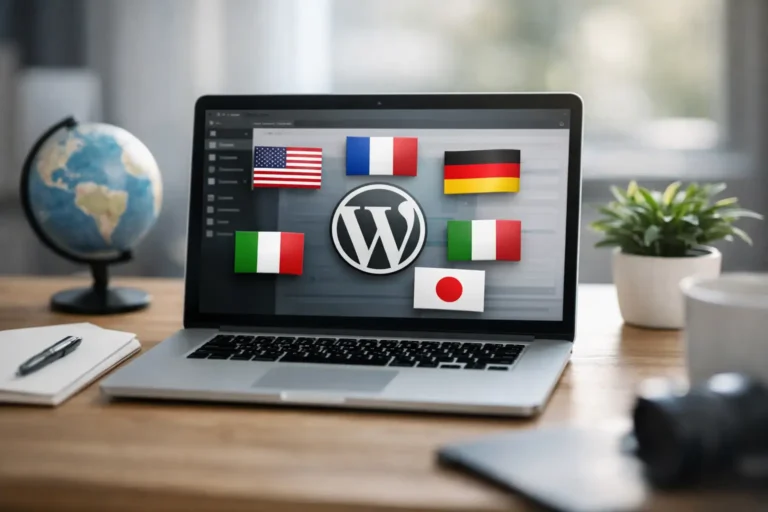
Quick Answer — Multilingual WordPress Website Setup
What is the right way to set up a multilingual WordPress website for a service business?
A proper multilingual setup creates a separate, indexable page for every language — with its own URL, metadata, and hreflang tags — rather than relying on a browser-side translation widget. Dedicated plugins like TranslatePress, WPML, and Polylang handle this correctly. Browser-only translation, including Google’s own former widget, never created pages Google could index — and Google discontinued that widget entirely as of October 1, 2026, which removes it as an option even for the sites that still used it.
- Start with: Which languages your actual clients use — not how many languages you could add
- Avoid: Automatic browser-side translation as a finished product — it does not help SEO and needs human review
- Recommended: A dedicated plugin that creates real, indexable translated pages
- Non-negotiable: Hreflang tags, so Google shows the right language to the right visitor
A multilingual WordPress website setup is not simply a matter of adding a language switcher to your menu.
For a consultant serving English-, Italian-, and/or Spanish-speaking clients, a therapist welcoming international residents, or a winery selling experiences to travellers, every language version shapes whether a visitor feels understood enough to get in touch.
When the setup is rushed, the result looks fragmented: half-translated buttons, pages that lead nowhere, competing search results.
When it is planned well, a multilingual site gives people a clear path to your services in the language they use to make decisions.
Start with business goals, not languages
The first question is not “which plugin should I use?”
It is “which audiences am I actually trying to serve?”
- A local accountant may need English and Spanish because both languages are used by prospective clients in the same area
- A boutique accommodation business in Abruzzo may need Italian, English, and German because guests research and book from different countries
- A coach working online may need only English, even if multilingual, because that is the language their ideal clients search in
Adding languages you cannot maintain creates more work without creating more opportunities.
Each language version needs current contact details, working forms, accurate policies, and enough content to earn its place in search results.
It is usually better to launch two strong languages than four thin, neglected ones.
Why you should not rely on automatic translation widgets
This matters more than it used to.
Google’s own translation widget has just been discontinued
As of 1 October 2026, Google ended support entirely for its Website Translator Widget — the free, drop-in browser translation tool many small sites once relied on.
It had already been restricted to non-commercial, academic, and government sites since 2019, so most businesses were not even eligible for it.
Even when it existed, it had a structural problem that still applies to any similar free widget: it translated content only inside the visitor’s browser, without creating actual indexable pages.
Google could not crawl or rank those translated versions — they were invisible to search, existing only for the person already on the page.
What does this mean practically?
If your site uses any browser-side translation widget — Google’s former tool, a free GTranslate widget, or similar — you are not getting multilingual SEO benefit from it, even though it looks like your site is multilingual.
A proper multilingual setup needs a plugin that creates real, separate, crawlable pages for each language.
Which multilingual WordPress plugin should you actually use?
| Tool | Best for |
|---|---|
| TranslatePress | Small to medium service business sites — visual, in-context editing, works with most page builders and themes. What I use for clients. |
| WPML | Larger, more complex sites needing granular control over every translated element and workflow |
| Polylang | Content-heavy sites where each language needs its own fully separate post/page entries |
TranslatePress is the tool I use for my own site and for client builds.
It lets you translate directly on the live page in a visual interface, handles hreflang tags automatically, and integrates cleanly with Elementor and most common WordPress setups — which matters, because a multilingual plugin is only useful if it supports your theme, forms, and booking tools without breaking them.
Avoid relying on automatic translation as your finished product, regardless of which plugin generates it.
It is useful for a first draft, but service businesses sell expertise and nuance — a phrase that sounds reasonable machine-translated can feel awkward or misleading to the person reading it.
Human review is essential, especially for healthcare, legal, financial, or other trust-based services.
What URL structure should you use?
Each language needs its own stable URL.
A common, practical structure uses language folders — `/en/` and `/es/` — keeping the site under one main domain.
Separate country domains can make sense for larger businesses with distinct operations in different markets, but they add technical overhead and can divide your authority across several sites.
For a small or medium-sized business, language folders are usually easier to manage.
Keep the structure consistent.
Do not mix language folders on some pages with translated content living elsewhere.
Should translated pages be identical copies?
No — translation is not always duplication.
Your core message should stay consistent, but examples and supporting details may need to shift for the audience.
For instance, an English page for an Abruzzo-based therapist might speak to expats looking for online sessions and explain language availability.
The Italian version may focus more on local appointments and the concerns Italian clients raise.
Both represent the same professional — neither should read like a copied template.
Where should you start translating?
- Homepage, core service pages, about page, contact page
- Navigation labels, forms, confirmation messages, cookie notices
- Any page already receiving organic traffic
Do not forget images with text embedded in them.
A polished page loses credibility quickly when a banner is in one language and the surrounding content is in another.
Keep important text as actual website text — easier to translate, more accessible, and better for SEO.
Keep the language switcher simple
Use language names visitors recognise, not only flags — a flag represents a country, not a language, and English, Spanish, and Portuguese are used across many countries.
The switcher should take someone to the equivalent page, not the homepage.
If a visitor reading an English service page switches to Spanish, they should land on the Spanish version of that same page.
How do you protect SEO across every language?
A multilingual site can bring qualified traffic from more than one market — but only when search engines understand which page serves which audience.
Your multilingual plugin should generate hreflang tags automatically.
These tell search engines which alternate language versions exist for the same content, and help show the right result to the right visitor.
Each translated page also needs its own title, meta description, and natural search language — not a word-for-word translation of the English keyword.
Search habits vary by market, even within the same language.
Be cautious with duplicate or thin content.
Publish a language version when it offers a complete, useful experience.
If a page is not ready, leave it unpublished rather than showing an unfinished translation.
How do you keep a multilingual site maintained after launch?
The most common multilingual problem is not the initial build — it is what happens six months later, when a service changes or a form gets updated in only one language.
Build a simple routine:
- When you change an important page in the primary language, check whether the other versions need the same update
- Keep a record of which pages exist in each language
- If working with a translator, give context about audience and tone, not just isolated sentences
Test the full experience in each language before launch — submit forms, check confirmation emails, try the site on a phone, confirm booking and payment flows work correctly in every language version.
—
Does your website make every visitor feel expected?
The goal is not the most languages.
It is making the right people feel your business is prepared to serve them.
At SR Web Marketing, I build multilingual WordPress websites with TranslatePress for independent professionals and local businesses across Abruzzo, Pescara, and remotely across Italy, Spain, and Europe — set up properly from the start, with real indexable pages in every language, not a translation widget patched on top.
If you would like help planning a multilingual setup for your specific business, get in touch for a free initial conversation.
—
Frequently asked questions
Can I still use Google Translate to make my WordPress site multilingual?
Not in the way many site owners expect. Google discontinued its free Website Translator Widget entirely as of 1 October 2026, and it had already been restricted to non-commercial, academic, and government sites since 2019. Even when it was available, it only translated content inside the visitor’s browser without creating indexable pages, so it never provided real multilingual SEO benefit. For a proper setup, use a dedicated plugin like TranslatePress that creates separate, crawlable pages for each language.
What is the best free way to make a WordPress site multilingual?
Most reputable multilingual plugins, including TranslatePress, offer a free version covering one additional language, with paid tiers for more languages and advanced features. This is a more reliable starting point than a browser-side translation widget, because the free tier still creates real, indexable translated pages rather than browser-only translation.
How many languages should a small business website have?
As many as your actual client base needs, and no more than you can realistically maintain. Two well-maintained languages with complete, accurate content consistently outperform four languages where some versions are thin or outdated. Start with your primary market and your largest secondary audience, then expand only if there is a clear, demonstrated need.
Does a multilingual website hurt or help SEO?
A properly built multilingual website helps SEO by letting you rank in multiple languages and markets simultaneously — provided each language version has its own indexable pages, correct hreflang tags, and genuinely translated (not machine-translated) content. A poorly built one, relying on browser-side translation or thin duplicate pages, provides little to no SEO benefit and can create confusing signals for search engines.
Should I use automatic translation for my website content?
Not as a finished product. Automatic translation is useful for a quick first draft, but it often misses the nuance that service businesses depend on to build trust — phrasing that sounds reasonable in a direct translation can read as awkward or even misleading to a native speaker. Human review and editing, ideally by someone who understands your specific services, is essential before publishing any translated page.
 | Sergio Stanga WordPress Web Designer & SEO Specialist · SR Web Marketing I help independent professionals and SMBs across Italy, Spain, and Europe build WordPress websites that generate long-term organic leads and AI search visibility — without depending on social media. |


 English
 Italiano
 Español